flapdoor monitor

v1.0.0

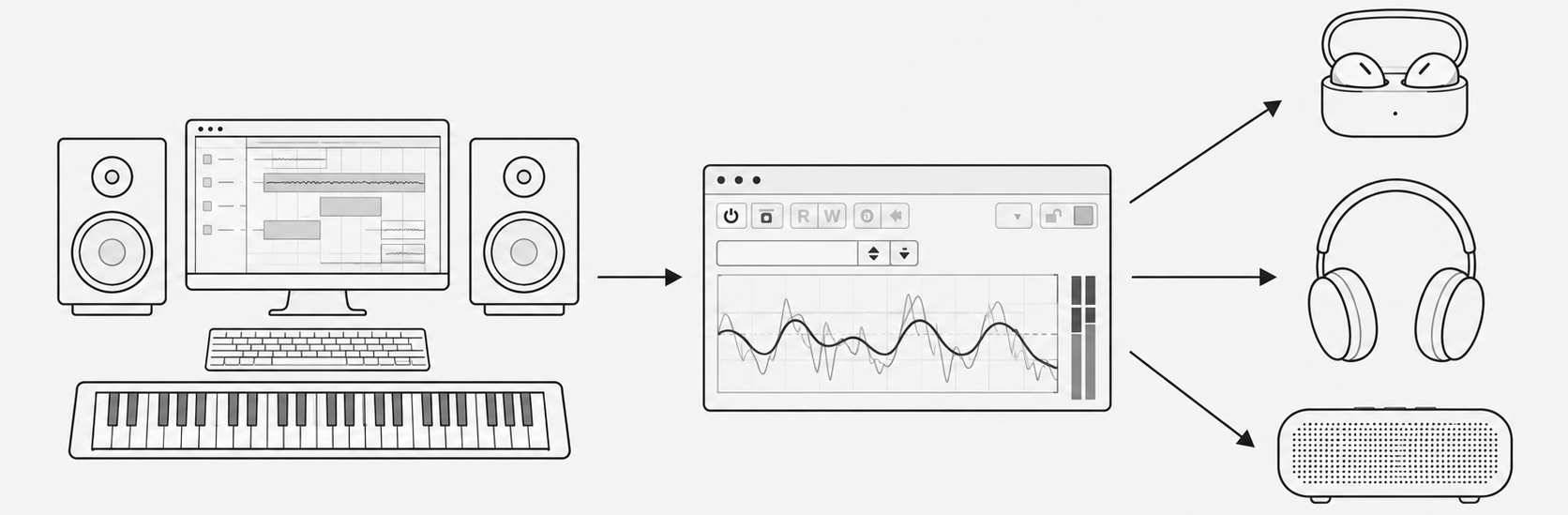
Flapdoor Monitor DAW plugin interface showing Bluetooth device selection and audio monitoring meters

For DAW Users

Flapdoor Monitor is a simple plugin that lets you monitor audio
from your DAW directly through your Bluetooth devices.

Just insert Flapdoor Monitor on your master output or Control Room output,
then select an audio device connected to your computer.

There will be some latency, but no complicated setup or routing is required.

BUY $19.99


Flapdoor Monitor DAW plugin interface showing Bluetooth device selection and audio monitoring meters

01. No Need to Change Your Audio Interface Settings

Keep your DAW's audio output settings as they are. Just insert Flapdoor Monitor on your master output.

Listen through your studio monitors and AirPods simultaneously, without switching between devices.

02. Not Limited to Bluetooth Devices

Windows: Supports audio devices connected to your PC via WDM, ASIO, and more.

macOS: Supports Core Audio devices.

Examples: AirPods, Sony earbuds, BOSE portable speakers, a second audio interface, or your laptop's built-in speakers.

03. Check Your Mix on the Devices Your Listeners Use

Many people listen to music through earbuds or Bluetooth speakers. Check your final mix on the same types of devices your audience uses.

04. Built-in Loudness Meter (LUFS)

Streaming services normalize playback loudness.

It's easy to turn the volume up too high when listening through earbuds. The built-in LUFS meter helps you keep track of your mix's loudness.

05. Simple to Use

Just select your output device. That's all. Everything else is for monitoring.

06. Automatic Sample Rate Conversion

Flapdoor Monitor automatically converts the sample rate when your DAW and output device use different sample rates.

07. No Internet Connection Required

An internet connection is only needed for the initial license activation.
After that, Flapdoor Monitor works offline, even on studio computers without internet access.

08. Compatibility

Operating Systems: Windows / macOS

Plugin Formats: VST3 / AU